What File Format Should I Use for DTF Transfers?
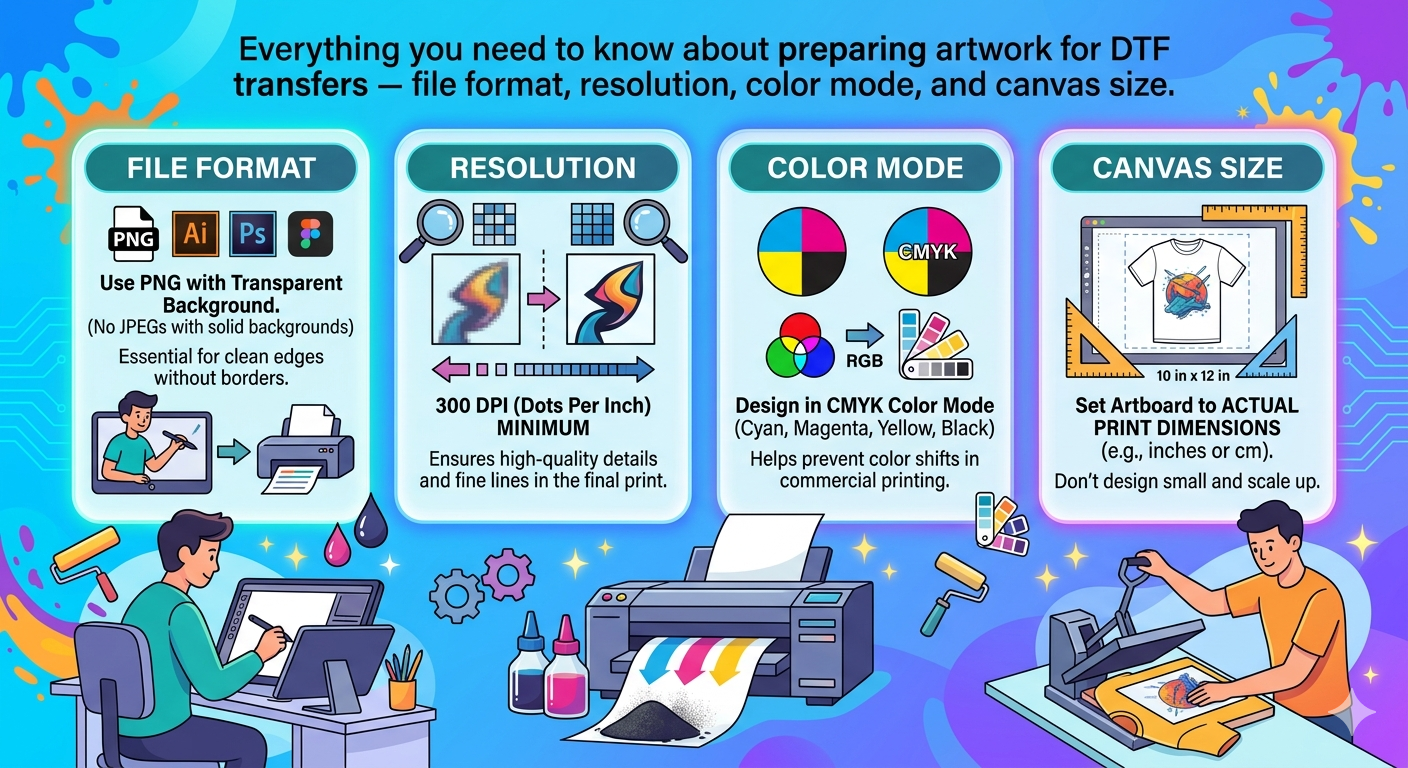
The best file format for DTF (Direct to Film) transfers is PNG with a transparent background. PNG files preserve sharp edges and allow the white underbase to print correctly underneath your design, so it looks great on both light and dark fabrics.
We also accept:
- AI / EPS / PDF — vector files with outlined text (preferred for logos)
- JPG / JPEG — acceptable, but a white box will print around the design if the background is not removed
- SVG — vector format, works well for simple designs
What Resolution Do I Need?
Submit artwork at a minimum of 300 DPI at the actual print size. For example, if you want a 10-inch wide transfer, your file should be at least 3000 pixels wide (10 × 300 = 3000 px).
Low-resolution files (72 DPI, 96 DPI) will look pixelated and blurry when printed. We will contact you if your file is below our minimum requirements.
Color Mode
Use RGB color mode for DTF transfers. DTF printers output in RGB, so files submitted in CMYK may have color shifts. If you are working in Illustrator or Photoshop, make sure your document is set to RGB.
Canvas Size & Bleed
Trim your canvas as close to the design as possible. Do not leave large white or transparent borders — they add unnecessary area and may affect pricing on gang sheets.
Common Mistakes to Avoid
- Submitting a 72 DPI web image at a small size
- Using a white background instead of transparent
- Submitting CMYK files — colors will shift
- Rasterizing vector logos at low resolution
Need Help Preparing Your File?
If you are unsure about your artwork, contact us — we review every file before printing and will let you know if any adjustments are needed. We serve customers across Raleigh, Cary, Durham, Chapel Hill, and all of North Carolina and the USA.