
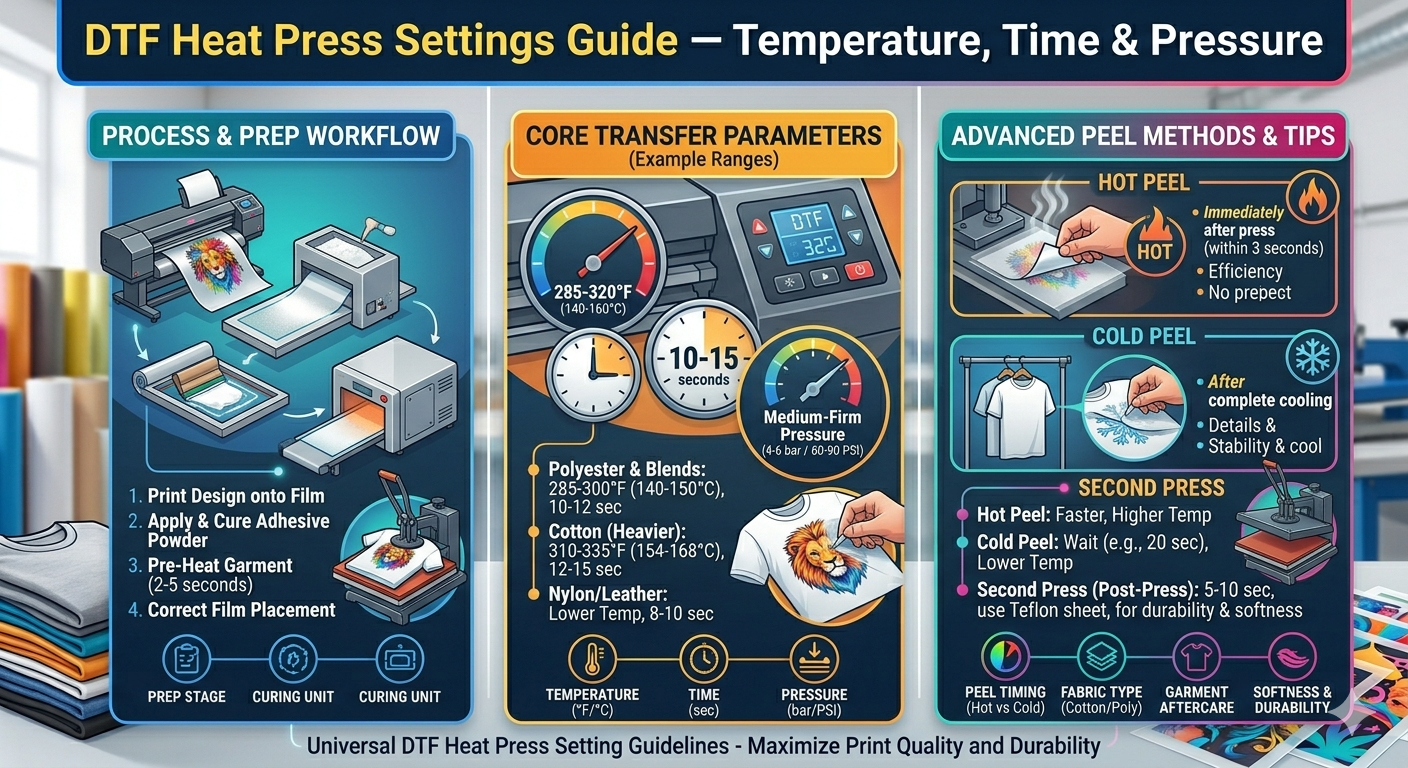
Applying DTF (Direct to Film) transfers correctly is just as important as the print quality itself. Follow these settings and tips to get the best results every time.
Recommended Heat Press Settings for DTF Transfers
| Setting | Recommended |
|---|---|
| Temperature | 285°F – 305°F (140°C – 152°C) |
| Time | 10 – 15 seconds |
| Pressure | Medium (40–50 PSI) |
| Peel | Cold peel (let cool 10–15 seconds before peeling) |
Step-by-Step Application
- Pre-press the garment for 3–5 seconds to remove moisture and wrinkles
- Position the transfer film-side up on the garment
- Press at 285–305°F for 10–15 seconds with medium pressure
- Allow to cool for 10–15 seconds (cold peel)
- Peel the film slowly and evenly at a low angle
- Final press (optional): cover with parchment paper and press again for 5 seconds for extra durability
Fabric-Specific Tips
- 100% cotton — use full 305°F, 15 seconds
- Polyester / blends — use 285°F to avoid scorching, 10–12 seconds
- Nylon / performance fabrics — use 275°F, 10 seconds, check first
- Stretchy fabrics — use a silicone pad under the garment
Can I Use a Home Iron?
Yes — set your iron to the cotton/high setting (no steam). Press firmly for 15–20 seconds, moving the iron slowly. Results will be good but less consistent than a heat press. For production use, a heat press is always recommended.
Troubleshooting Common Problems
- Transfer not sticking — increase temperature or time, check pressure
- Transfer peeling after wash — insufficient temperature or time; do a final press after peeling
- Scorched fabric — lower temperature, especially on polyester
- Film not releasing cleanly — wait longer before peeling (cold peel)
- Edges lifting — press edges again with a Teflon sheet
Wash Care for DTF Transfers
For maximum longevity (100+ washes): wash inside out in cold water, tumble dry on low heat, avoid bleach and fabric softener, do not iron directly on the print.
Questions about applying your transfers? Contact us — we are happy to help. Order your DTF transfers today from Raleigh Transfers, serving Raleigh, Cary, Durham, and all of North Carolina.